Quick answer
A business emergency grab bag holds what you need to keep operating and to claim help if your premises are lost: printed key contacts, insurance policy schedules, ABN and ABR details, a USB copy of key records, lease and asset lists, and basic supplies such as a torch, radio and first-aid kit. Keep a cloud copy too, make sure a second person is authorised to act for the business online, and review it all before storm and bushfire season.
Key points
- Keep two copies: a physical grab bag and a secure cloud folder.
- Contacts and policy numbers matter more than anything else on day one.
- Keep your ABR address current with a street address — not a PO box or your agent's address.
- Authorise a second person in Relationship Authorisation Manager so the business isn't locked out if you are.
- AusAlert replaces SMS emergency alerts from October 2026 — keep phones updated and charged.
Most business owners have a plan for the till, the stock and the staff roster. Very few have a plan for the moment they’re standing in a car park with nothing but a phone, watching the premises burn or fill with water.
In that moment, the things that matter are surprisingly small: a policy number, a phone list, a copy of the lease, a way into the bank account. This guide is about packing them before you need them — the business version of the emergency kit many households already keep.
It takes about twenty minutes to assemble the first version. It can save weeks of rebuilding records and chasing paperwork during a recovery. This 2026 update adds two things owners are now asking about: the new AusAlert warning system, and making sure someone else can act for the business online if you can’t.
Why does a business need a grab bag?
After any serious event, three things happen at once:
- You need to contact people — insurer, staff, customers, suppliers, the bank.
- You need to prove things — what you owned, where you traded, what you’re insured for, that you’re eligible for help.
- You need to keep operating — pay people, answer phones, take orders from somewhere else.
All three depend on information that usually lives in a filing cabinet or on a computer in the very building you’ve just lost. business.gov.au’s preparation guidance makes the point directly: protect registration records, financial statements and customer information, and keep key documents and phone numbers in an emergency kit that’s accessible and visible.
What should go in the physical grab bag?
Keep this in a waterproof bag or case near an exit, plus a copy at home or another site.
Contacts (printed)
- Insurer claims line and your policy numbers
- Your insurance broker, if you have one
- Bank relationship manager and fraud line
- Accountant or bookkeeper
- Landlord or property manager
- Electrician, plumber, locksmith, IT provider
- Key suppliers and key customers
- Every staff member’s mobile and an emergency contact
- ATO Emergency Support Infoline — 1800 806 218
- business.gov.au — 13 28 46
- Small Business Debt Helpline — 1800 413 828
Our recovery contacts by state page is designed to be printed and slipped in alongside.
Documents (copies)
- Insurance policy schedules (the pages listing what’s covered and for how much)
- ABN, ACN and business name registration details
- Lease or property title details
- Asset and equipment list with serial numbers, purchase dates and photos
- Finance agreements for vehicles and equipment
- Most recent BAS, tax return and financial statements
- A list of the software and online services you use
Supplies
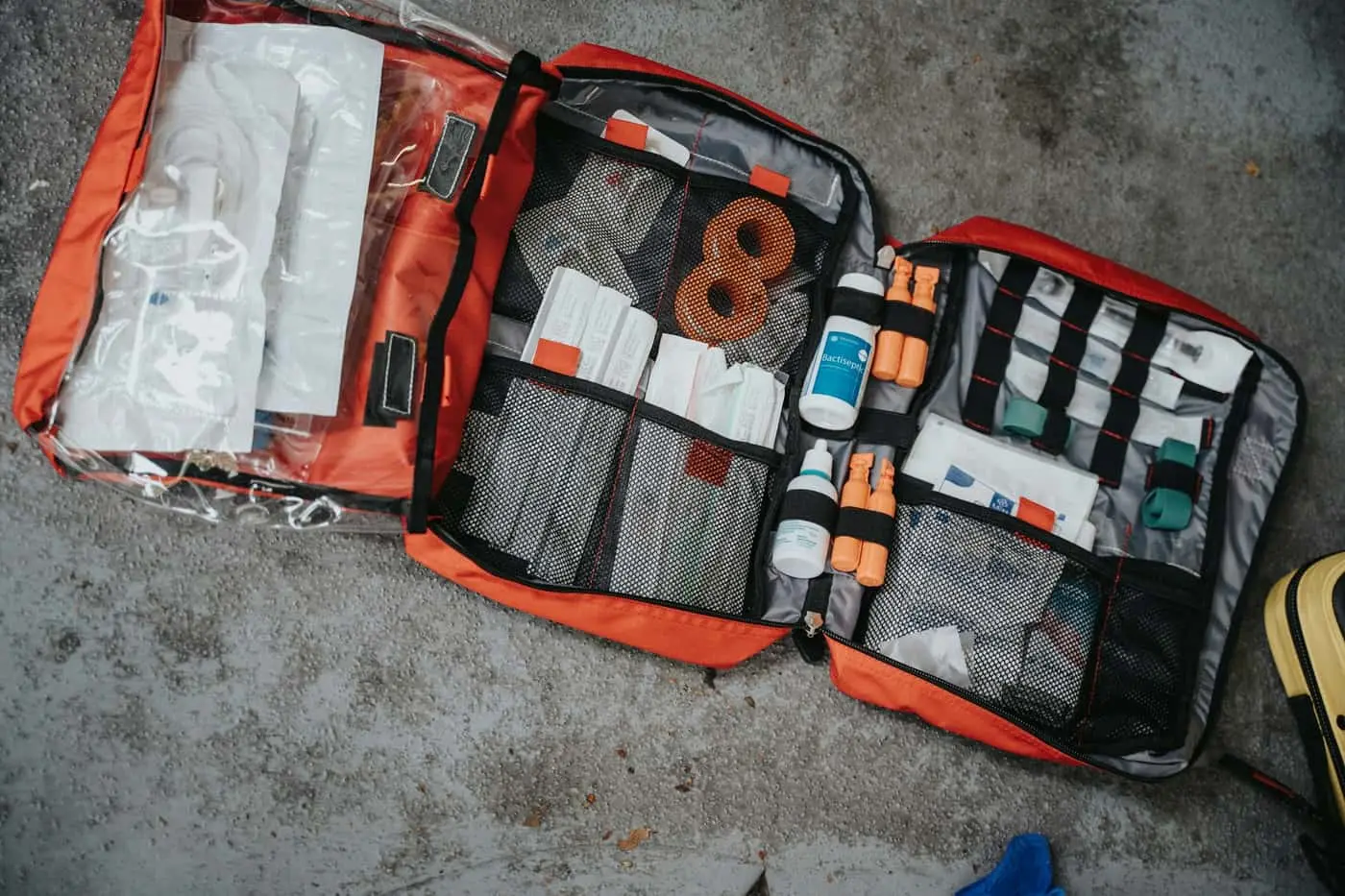
business.gov.au suggests a torch, first-aid kit, portable radio, waterproof bags, hand sanitiser or wipes, bottled water and spare batteries. Add a phone power bank and charging cable, a notebook and pens, and a few printed copies of your “we’ve moved temporarily” sign.
What belongs in the digital kit?
The physical bag gets you through the first day. The digital kit gets you through the next three months.
| Item | Where to keep it |
|---|---|
| Scans of every document above | Secure cloud folder shared with a trusted second person |
| Accounting data | Cloud accounting software, or regular exports stored off-site |
| Customer and supplier lists | Exported monthly |
| Photos and video of premises, stock and equipment | Cloud folder, updated each year |
| Staff records and payroll | Payroll software with off-site backup |
| Passwords | Business password manager with emergency access for a trusted person |
business.gov.au recommends backing up digital records to the cloud or to a drive kept somewhere secure, away from the main premises. A fireproof safe in the same building is not an off-site backup.
A word on passwords: never keep them in a plain document or on paper in the grab bag. If a cyber attack turns out to be part of the crisis, you’ll want to know no one else can read your list.
Can someone else act for the business if you can’t?
This is the gap most kits miss. Logins in a password manager are no use if the government systems themselves only recognise you.
Access to ATO Online services for business, the ABR and many grant portals runs through two things:
- A Digital ID, such as the myID app (formerly called myGovID), which proves who a person is.
- Relationship Authorisation Manager (RAM), which links that person to the business. The RAM site explains that a principal authority can create authorisations “allowing others to start accessing online services on behalf of your business”, and view, change or remove them at any time.
Before the season, do this:
- Confirm who the principal authority is for each ABN you run.
- Ask a trusted partner, family member or senior staff member to set up their own myID.
- Authorise them in RAM with the access they’d realistically need in an emergency.
- Make sure your tax agent or BAS agent is listed on the ATO side as well, so they can lodge or request deferrals for you.
- Write down — in the kit, not the cloud — which person holds which access.
If you’re hurt, evacuated or simply without your phone, someone can still call the ATO, apply for assistance or update the ABR address on the business’s behalf.
How will you be warned in 2026?
Australia’s emergency phone warnings changed this spring. NEMA says AusAlert is ready to use from October 2026, replacing the SMS-based Emergency Alert. It uses cell broadcast, so messages go to compatible phones in a targeted area without anyone signing up, and congestion on the network doesn’t slow them down.
What that means for the kit:
- Keep work phones updated, charged and switched on. Older handsets may not support every feature, so check staff phones as part of the annual review.
- Keep the battery radio. Local ABC radio is still the fallback when power and mobile coverage drop out.
- Learn the three warning levels used by the Australian Warning System — Advice, Watch and Act, and Emergency Warning — and agree as a team what each one means for opening, closing and moving stock.
- Install your state’s hazards app (for example, Hazards Near Me in NSW) on at least two phones that will be with the team.
Which records prove you’re eligible for disaster help?
Government assistance is tied to where you were trading when the event happened. Keep proof handy:
- Your Australian Business Register record — business.gov.au says your main business address on the ABR should not be a post office box or the address of your tax or BAS agent, because agencies use the street address to work out eligibility for emergency financial help.
- A rates notice, lease or utility bill for the premises
- Recent BAS showing you were trading
- Bank statements showing normal activity
If you ever need to apply for a recovery grant or concessional loan, expect to be asked for these early. More on where to look in finding disaster help.
What about records you’ve already lost?
If the worst has already happened, most of it can be rebuilt:
- Call the ATO’s Emergency Support Infoline (1800 806 218) and ask about copies of past lodgements — it says it may be able to replace lost or damaged tax records.
- Your bank can provide statement history.
- Accounting and payroll software keep records in the cloud.
- Suppliers can resend invoices; customers can confirm balances.
- Your insurer or broker can provide policy documents.
It’s slower than having them ready, which is the whole point of the grab bag.
How does the grab bag fit with your emergency plan?
The grab bag is the “stuff”. Your emergency plan is the “who does what”. business.gov.au describes an emergency management plan in three parts: a continuity plan (critical areas, key customers, insurance, backups), an emergency action plan (contacts, evacuation, emergency team roles) and a recovery plan (assessing damage, recovery partners, insurance claims, reopening).
Our one-page business continuity plan guide gives you a simple template, our emergency action checklist shows what you’ll need for each type of event, and documenting damage for insurance covers the photos to take before anything is thrown out.
Where does money fit into preparation?
Being prepared doesn’t mean you’ll never need funding in a crisis. It means that when you do, you can move quickly. A lender assessing an emergency application will usually want:
- recent business bank statements
- ABN or ACN and ID
- details of any property you might use as security
- insurance policy and claim details
- quotes for what needs paying
Keeping these in the digital kit means a funding decision can happen in days rather than weeks. If you ever reach that point, a one-minute enquiry is all it takes to start, and it doesn’t touch your credit file.
How do you keep the kit current?
Set a calendar reminder for early spring — before bushfire, storm and cyclone season across most of Australia — and run through this list:
| Check | Done |
|---|---|
| Contacts still correct (especially staff mobiles) | |
| Insurance schedules are this year’s | |
| Asset list includes anything bought this year | |
| Photos of premises and stock updated | |
| Cloud backups working (test a restore) | |
| ABR address is the trading street address | |
| Second person authorised in RAM and still current | |
| Staff phones updated and receiving warnings | |
| Supplies (batteries, water) replaced | |
| Second person knows where everything is |
The last line matters. If you’re away or injured, someone else needs to be able to use the kit.
What’s a sensible first step today?
Don’t try to do everything at once. Today, do three things:
- Print your insurance schedules and put them in a waterproof sleeve.
- Write a one-page contact list and put it with the schedules.
- Check your ABR address and who is authorised in RAM.
Next week, set up the cloud folder. The week after, photograph the premises and equipment. In a month, you’ll have a kit most businesses never get around to.
Already in the middle of it? Here’s where we come in
If you’re reading this after the event, start with the emergency action checklist, call the ATO before any due date, and chase every grant and insurance avenue first. We’d genuinely rather you got a grant than a loan.
When those still leave a gap — wages this Friday, a replacement oven, stock to reopen — that’s the part we help fund. Here’s how it works:
- The enquiry form takes about 60 seconds, and there’s no credit check when you first enquire.
- Your details stay with us. We won’t send your details to a pile of lenders, so you won’t be fielding calls from strangers all week.
- A real person reads your situation and phones you to talk through what’s realistic.
One request: fill the form in accurately — the amount, what it’s for, your state and any property you own. The same habit that makes a good grab bag makes a good enquiry, and it lets us find the right option the first time.
Ready when you are
Check your options in about 60 seconds
A few quick questions. Asking won't touch your credit file, your details aren't sent to a pile of lenders, and a real person reads every enquiry.
Frequently asked questions
What documents should a business keep in an emergency kit?
Insurance policy schedules and claim contacts, ABN and company details, lease, asset and equipment lists with serial numbers, key supplier and customer contacts, recent BAS and financial statements, and a list of the online services you use. Keep logins in a password manager, not on paper.
What supplies does business.gov.au suggest for an emergency kit?
Its preparation guidance lists key documents (printed or on a USB drive), phone numbers, a torch, first-aid kit, portable radio, waterproof bags, hand sanitiser or wipes, bottled water and spare batteries, kept somewhere accessible and visible.
What is AusAlert, and does my business need to sign up?
AusAlert is the national emergency warning system that NEMA says is ready to use from October 2026, replacing the SMS-based Emergency Alert. It uses cell broadcast to reach compatible phones in a targeted area, so there's nothing to sign up for. Keep work phones updated, charged and switched on, and still keep a battery radio in the kit.
Who can manage our ATO and government accounts if the owner is injured or away?
Only people authorised to act for the business. The owner (or another principal authority) can use Relationship Authorisation Manager to authorise a trusted person with their own Digital ID, such as myID. Set this up before an emergency — it can't be done for you once you're unreachable.
Is it safe to keep passwords in the kit?
Don't write passwords in plain text. Use a business password manager with emergency access for a trusted person, and keep only the recovery information needed to get into it.
How often should I update it?
At least once a year, and whenever you change insurer, bank, key suppliers, premises or staff. Early spring, before storm and bushfire season, is a good habit.